
AI Interior Design Home Decor
Identifier StudioHouse & Home
4.3143.00 Reviews
- Version
- 14.7.4
- Installs
- 1.00M
- Age Rating
- Everyone
Screenshots
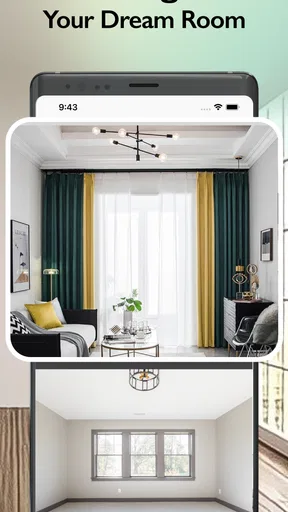
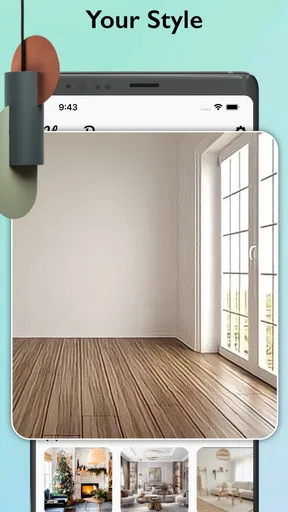
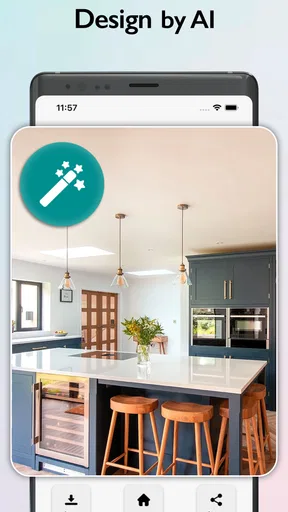
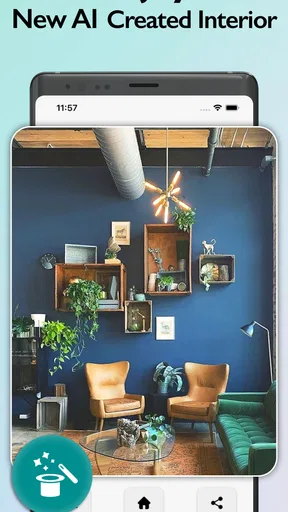
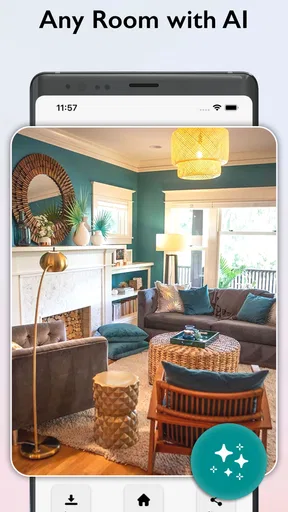
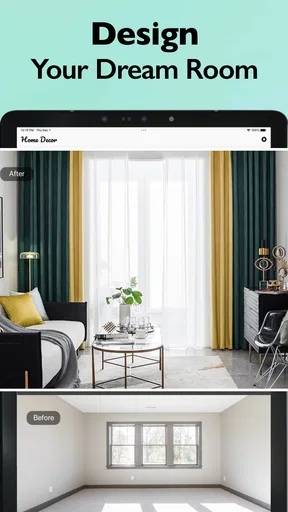
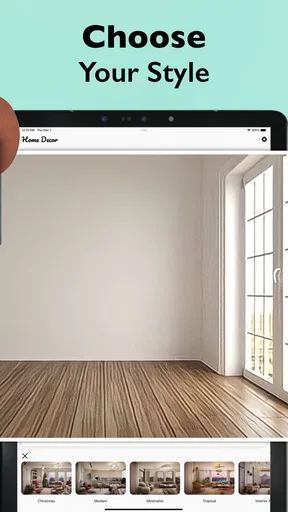
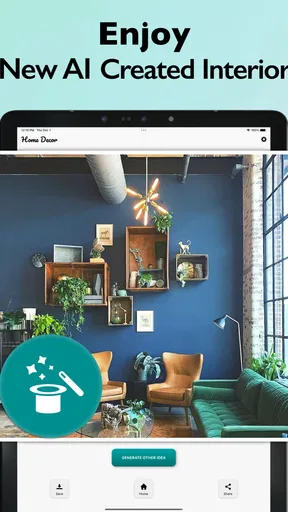
Our Review of AI Interior Design Home Decor
 Analysis by Appyee
I treat an AI room makeover as a starting point, not a finished design. That distinction matters with AI Interior Design Home Decor: its appeal is the quick visual reset, the chance to see familiar walls in a different style before I move furniture or spend money. The more useful question is whether those first exciting ideas still help once the novelty wears off and real decisions begin.
A quick spark for the first week
For a renter staring at a bare living room, or a homeowner unsure whether a room would feel warmer or less cluttered, a photo-based redesign can make a vague idea concrete. I would use it to compare directions before shopping: for example, whether a small room looks better with a lighter, simpler feel than with a dramatic, darker scheme. That kind of comparison is valuable even if the generated image is only an approximation.
A practical tip is to take the room photo from a position that shows its main boundaries and largest pieces of furniture. Clear, ordinary lighting is more useful than a heavily filtered shot, because the goal is to judge the room rather than the camera effect. I would also change one design decision at a time where possible. If every element changes at once, it becomes hard to tell whether the appealing result comes from the color direction, the furniture arrangement, or the overall style.
This is where the app can help someone who has no design vocabulary. Instead of trying to describe a room as “calm but not plain,” I can look at several visual directions and identify what I respond to. It is less useful for someone who already has exact measurements, product choices, and a detailed plan; in that case, a drawing tool or a professional consultation may answer more specific questions.
Does it stay useful after the first few sessions?
The longer-term value depends on whether I use the app to make decisions rather than simply collect attractive images. A saved design can act as a reference while I compare paint samples, rearrange existing furniture, or discuss a room with someone who shares the space. That gives the visual ideas a job beyond entertainment. For a one-off makeover, a few sessions may be enough; for a home being updated room by room, revisiting the same visual approach can help keep choices coherent.
Consider an everyday situation: I have a free Saturday, a living room that feels crowded, and no intention of replacing everything. I could use a redesign as a prompt to notice which pieces dominate the view, then try moving a chair or clearing a surface before buying anything. The image may suggest a more open arrangement, but the real test is whether the room works for walking through, relaxing, and daily storage. I would treat the result as a conversation starter with my own space, not an instruction to reproduce every detail.
Compared with browsing room photos on general inspiration sites, the main difference is the personal starting point: the image is meant to relate to my room rather than an unrelated finished interior. Compared with standard floor-planning software, the appeal is a quicker visual idea rather than a precise, buildable plan. Those tools are better when dimensions, clearances, or exact furniture placement are the deciding factors. The app sits between inspiration browsing and technical planning, and it makes most sense in that middle ground.
What makes the habit easier—or tiring?
AI redesign tools can invite repeated tweaking: another style, another variation, another image to save. I would avoid treating every new result as a better answer. A useful personal rule is to keep only a small shortlist and write down what each option is trying to solve, such as a room feeling dark or a seating area lacking focus. That simple filter turns browsing into a decision process and makes a saved collection easier to revisit.
There is also a real-world gap between a convincing picture and a workable purchase. An image can help me imagine a color mood or a broad arrangement, but it should not be taken as proof that a particular piece will fit, that a finish will look identical in daylight, or that a room can be changed without practical constraints. I would check dimensions independently and view any materials in person when the choice is costly. The best use is low-risk exploration; the more expensive or structural the decision, the more I would rely on measurements and hands-on checks.
Some people will get tired of the process if they want exact control over every object or expect a generated room to preserve every detail of the original photo. Others may find the suggestions too familiar to spark a distinctive direction. If that happens, a curated design magazine, a manual sketch, or advice from a local designer may be a better next step. The app is most rewarding when I am open to alternatives, but still willing to make the final calls myself.
Getting Started with AI Interior Design Home Decor
First things first, downloading and setting up the app was a breeze. The user interface is clean and intuitive, which is always a plus. As soon as you open it, you’re greeted with a simple tutorial that walks you through the basic features. It’s as if the app knows you might be a newbie to interior design and is there to hold your hand as you explore its capabilities.
Once you’re all set up, you can dive into the app’s main feature: the ability to visualize different design concepts in your own space. All you need to do is snap a picture of the room you want to redesign. The app's AI technology then works its magic, offering you a variety of styles and layouts to choose from.
Exploring Design Styles
The app offers an impressive range of design styles. Whether you’re into minimalist, boho, industrial, or something else entirely, there’s a little something for everyone. I spent a good chunk of time playing around with different looks, and it was fascinating to see how each style could transform my otherwise boring living room into something completely different.
The AI Interior Design Home Decor app also provides a virtual shopping list of sorts. Once you settle on a design you love, it suggests furniture and decor items that match the style. You can even purchase these items directly through the app. Talk about convenience!
Smart Tools and Features
One feature that really stands out is the smart measurement tool. It uses augmented reality to measure your space accurately, ensuring that the furniture you fall in love with will actually fit. No more guessing and hoping for the best!
The app also offers a mood board feature, allowing you to save your favorite designs and pieces. It’s a handy way to keep track of your inspirations and create a cohesive look for your home. Plus, you can share your mood boards with friends or family to get their opinions before making any big purchases.
Personal Experience and Final Thoughts
In my experience, the AI Interior Design Home Decor app is a fantastic tool for anyone looking to revamp their living space. The AI-driven suggestions are not only spot-on but also open your eyes to possibilities you might not have considered. The convenience of being able to visualize and shop within the app streamlines the entire process.
While the app is a great resource for design inspiration, it’s not without its limitations. Some might find the selection of items a bit limited, and the AI suggestions, while helpful, can sometimes lean towards a generic look. However, with a bit of creativity and customization, you can achieve a unique style that suits your personality.
There are practical reasons I would keep expectations modest, too. A photo-based concept cannot account for every everyday constraint: the route from the front door, a radiator that limits placement, a pet’s favorite corner, or the need to keep a clear path to a window. Before acting on a proposed layout, I would walk through the room and check how people actually use it. That small reality check can prevent an attractive image from becoming an inconvenient arrangement.
For anyone wondering whether the app is free to try, it is free to download, with in-app purchases ranging from $3.99 to $39.99 per item. I would explore the basic experience before paying for anything and decide what specific task an upgrade would help with. The app is rated for Everyone, and it is developed by Identifier Studio. Its current version is 14.7.4, with Android 11 as the minimum operating system requirement, so device compatibility is worth checking before making it part of a regular routine.
The audience figures suggest that this is not an obscure experiment: it has a 4.2 average from around 25,000 ratings and over 1 million installs. I see that as a sign of broad interest, not a guarantee that every generated result will suit my room. What matters more to me is whether I can turn a handful of images into a sensible next step, rather than getting drawn into endless browsing.
Overall, if you’re contemplating a home makeover but don’t know where to start, this app is definitely worth a try. It’s like having an interior designer at your fingertips, minus the hefty price tag. So, why not give it a whirl and see what incredible transformations await your home?
Who should keep it in the toolkit?
Identifier Studio’s home-design app is best for people who want a visual nudge before making small, reversible changes: rearranging a room, choosing a broad decorating direction, or collecting ideas to discuss with a partner or housemate. It can also help someone who finds blank-page planning intimidating. The app’s store release date is Dec 27, 2022, and its ongoing usefulness comes less from the date or version number than from whether it helps turn indecision into a manageable experiment.
I would skip it as the main planning tool for a renovation involving construction, electrical work, custom cabinetry, or tight dimensional constraints. Those jobs need accurate plans and qualified advice, not just a persuasive room image. It is also a poor fit if you dislike AI-generated interpretations or need every object and finish specified precisely. In those cases, a manual floor planner, direct product research, or a designer is a more dependable route.
For recurring use, I would open it when a real choice appears, not as a daily source of inspiration. Save a few alternatives, compare them against the room’s actual purpose, then stop once one idea gives you a clear low-cost action. That boundary keeps the app from becoming another stream of pleasant but disposable images. Its strongest long-term role is as a practical spark for decisions I can test in my home; whether it earns a place beyond the first week depends on that follow-through.
Verdict
Strengths of AI Interior Design Home Decor
- User-friendly interface for easy navigation.
- AI suggests personalized decor styles.
- Extensive library of decor items.
- Virtual room preview feature available.
- Regular updates with new decor trends.
Limitations of AI Interior Design Home Decor
- Limited free features; in-app purchases needed.
- Requires high-performance device for best use.
- Occasional glitches in 3D rendering.
- Subscription required for premium content.
- Some users report slow customer support response.
Other Releases by Identifier Studio
View All
TCG Card Scanner TCG Collector
Sports4.7

Coin Identifier Coin Scanner
Business4.3

Jewelry Identifier Gem Scanner
Business4.4

Sports Card Value Identifier
Sports4.5
Similar Picks in This Category
View All
Universal TV Remote Control
CodeMatics Media Solutions3.9

AlfredCamera Home Security app
Alfred Systems Inc.4.7

Planner 5D: AI Home Design
Planner 5D4.5

Universal Tv Remote-Cast to TV
One Music Player4.1

Zillow: Homes for Sale & Rent
Zillow Group4.8

99acres Buy/Rent/Sell Property
infoedge.com4.3
Frequently Asked Questions
What is AI Interior Design Home Decor, and how does it work?
AI Interior Design Home Decor is an innovative app that uses artificial intelligence to help you design and decorate your living spaces. It analyzes your room photos and suggests design ideas, color schemes, and furniture arrangements tailored to your preferences. The app learns from your interactions, offering increasingly personalized suggestions over time.
Is AI Interior Design Home Decor suitable for both amateurs and professionals?
Yes, AI Interior Design Home Decor is designed to cater to both amateurs and professionals. For beginners, it offers easy-to-follow design tips and tutorials, while professionals can benefit from advanced features like 3D modeling and virtual staging. The app's intuitive interface ensures a seamless experience for all users.
What platforms is AI Interior Design Home Decor available on?
AI Interior Design Home Decor is available on both Android and iOS platforms. You can download it from the Google Play Store for Android devices and the Apple App Store for iOS devices. The app is optimized for smartphones and tablets, providing a versatile design tool on the go.
Does AI Interior Design Home Decor require a subscription?
AI Interior Design Home Decor offers both free and premium subscription options. The free version provides basic features, while the premium subscription unlocks advanced tools, exclusive design content, and ad-free usage. Users can choose a monthly or annual subscription based on their needs and budget.
Can I share my design ideas from AI Interior Design Home Decor with others?
Yes, you can easily share your design ideas and projects with friends, family, or clients directly from the app. AI Interior Design Home Decor allows you to export designs as images or PDFs and share them via email, social media, or messaging apps, facilitating collaboration and feedback.
